Why Flutter Web Apps Don’t Perform the Same as Native Web Apps
Published on March 01, 2026
Why Flutter Web Apps Don’t Perform the Same as Native Web Apps
In recent years, Flutter has become very popular for building cross-platform applications. Developers can create apps for Android, iOS, desktop, and web using a single codebase written in Dart.
However, when Flutter is used for web development, developers often notice that Flutter web applications may not perform as smoothly as native web apps built with technologies like React or traditional HTML and CSS.
This happens because Flutter web works in a fundamentally different way compared to traditional web frameworks.
1. Flutter Does Not Use Native HTML Components
Traditional web applications built with HTML, CSS, and JavaScript rely on the browser’s DOM (Document Object Model) to render elements like buttons, text, and images.
Frameworks like React simply manipulate the DOM efficiently.
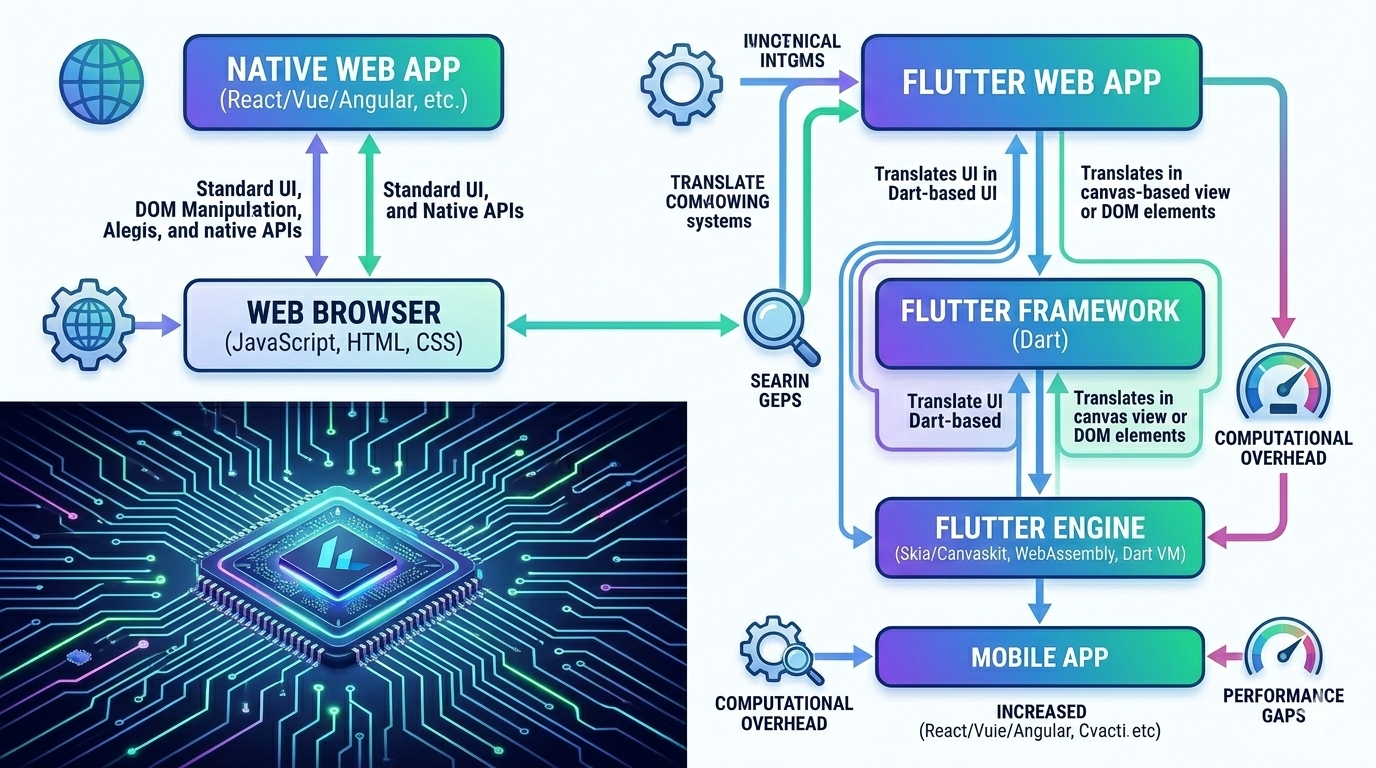
But Flutter works differently. Instead of using HTML elements, Flutter draws everything itself using a graphics engine such as Skia.
Because of this, Flutter web apps behave more like a canvas-based application rather than a typical website. This approach gives consistent UI across platforms but can increase rendering workload in the browser.
2. Larger Initial Bundle Size
Flutter web apps usually have larger file sizes compared to traditional web apps.
When a Flutter web app loads, it needs to download:
- The Flutter engine
- Compiled Dart code
- Rendering libraries
This can make the first page load slower, especially on slower internet connections.
In contrast, a simple site built with HTML and CSS loads much faster because it relies directly on built-in browser features.
3. Rendering Through Canvas
Flutter web renders UI through CanvasKit or HTML renderer.
CanvasKit uses WebAssembly and Skia to draw the UI. While this provides smooth animations and consistent visuals, it requires more processing power from the browser.
Native web frameworks like React rely on the browser’s optimized rendering system, which is usually faster for typical web interfaces.
4. SEO Limitations
Search engines understand traditional HTML pages very well because the content exists directly in the DOM.
Flutter web applications render much of their content inside a canvas, which makes search engine optimization (SEO) more challenging.
Because of this, Flutter web is not always the best choice for:
- Content-heavy websites
- Blogs
- Marketing websites
Instead, frameworks like Next.js are often preferred for SEO-friendly websites.
5. Browser Optimization
Browsers are optimized for technologies like:
- HTML
- CSS
- JavaScript
These technologies have been evolving for decades and are deeply integrated into browsers.
Flutter web, however, runs on top of an additional layer (the Flutter engine), which can introduce some performance overhead.
When Flutter Web Works Well
Despite these limitations, Flutter web is still useful for certain types of applications, such as:
- Internal dashboards
- Admin panels
- Progressive Web Apps (PWAs)
- Apps that share code with mobile versions
In these cases, the benefit of one shared codebase across mobile and web can outweigh the performance trade-offs.